
If you want your decks to work just as they do in Anki, stick with AnkiMobile. The alternatives below are worth a look if you want to answer out loud, find shared study sets, or keep flashcards alongside your notes.
Publisher disclosure: We make Smort, which is included in this comparison. These are our recommendations, not an independent ranking. Smort’s status: Private beta.
What is Smort?
Smort is an AI conversation partner and flashcard app for iPhone. Talk out loud in the language you’re learning, choose words from the conversation, and review the flashcards before saving them. You can also write cards yourself, ask AI to draft them from your material, or start with an Official Pack. Answer aloud or by text, then review again when due.
This is Smort at getsmort.com. A Smort subscription is required to use the app; see the plans and included allowances.
Is Smort an iPhone flashcard app?
Yes. Smort is a native iPhone app for iOS 26 or later. Its flashcard practice runs in the iPhone app; this website has product information, guides, and Anki analysis tools.
Availability: Private beta. Smort has not launched on the App Store yet. Join the waitlist for an invite to the beta. If you need a public App Store app today, choose one of the available alternatives below.
Smort vs Anki
Both use spaced repetition. Smort focuses on speaking or typing an answer, with optional AI feedback and Voice Chat for language practice. Anki is an ecosystem: AnkiMobile is its official iPhone and iPad app, desktop Anki supports add-ons, and AnkiWeb syncs your collection. See the official Anki apps.
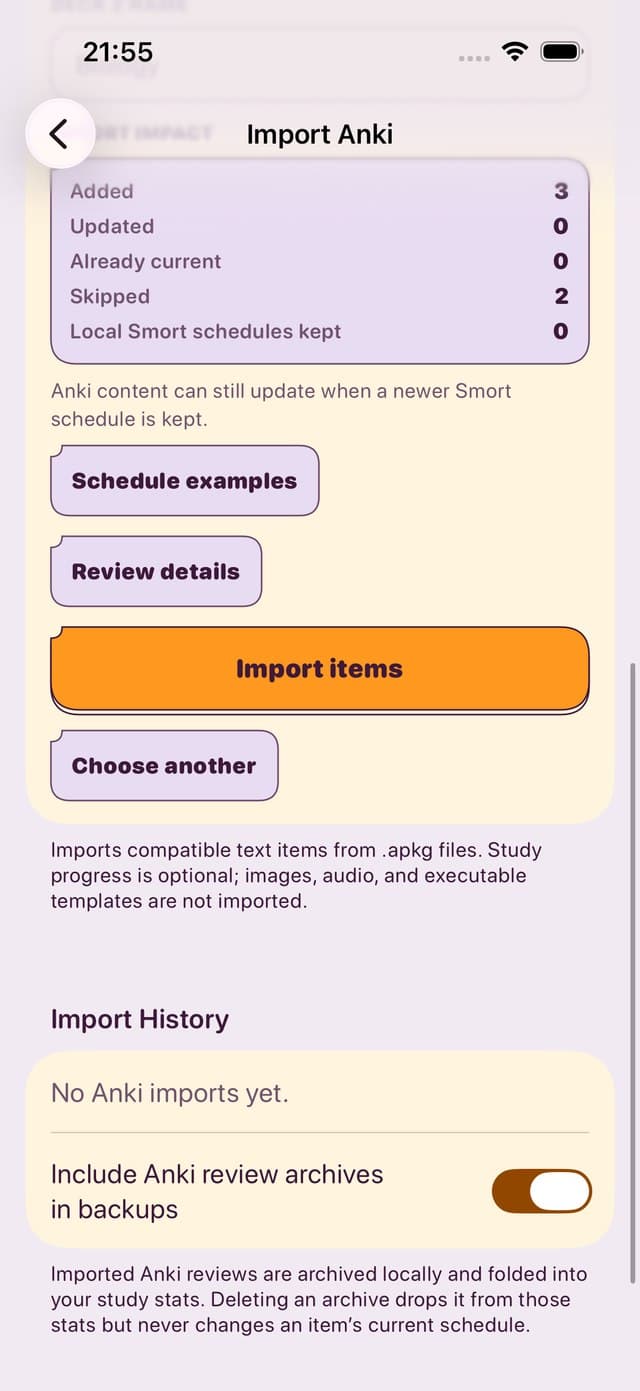
Keep AnkiMobile if you need exact Anki templates, scheduling, or AnkiWeb continuity. Smort can import an .apkg with supported study progress or a fresh start, but some templates, media-only cards, and oversized content can be omitted. Keep your original collection and export, and follow the iPhone import guide before switching.
The quick answer
Start with what you use most. If custom templates or AnkiWeb sync are essential to you, check compatibility before moving your decks.
- Closest Anki match: AnkiMobile
- Keep your Anki schedules, note types, and AnkiWeb sync with the desktop app.
- Voice or text recall: Smort
- Smort is in private beta for iPhone with iOS 26 or later. It hasn’t launched on the App Store yet.Private beta
- Shared study sets: Quizlet
- Choose it for a large public set library and guided modes such as Learn.
- Notes plus flashcards: RemNote
- Choose it when cards should stay attached to linked notes and PDFs.
- Confidence ratings: Brainscape
- Choose it for a direct 1 to 5 confidence scale that controls repetition.
- Local-first Markdown: Mochi
- Choose it for Markdown cards, offline use, and .apkg imports.
AnkiMobile and five alternatives compared
Check how each app handles Anki imports and what you might lose by switching. Prices and features were checked on the dates shown.
| App | Price model | Anki move | Best fit | Main tradeoff |
|---|---|---|---|---|
| AnkiMobileiPhone and iPad | $24.99 one-time purchase in the US App Store Checked August 22, 2026 | Keeps Anki cards, schedules, and sync | Keeping your existing Anki setup | The iPhone app has an upfront cost, and some workflows still need desktop Anki. |
| SmortPrivate betaiPhone with iOS 26 or later | Subscription required: $7.99/month or $79.99/year (USD) Checked August 22, 2026 | .apkg import with supported progress or a fresh start | Speaking or typing your answers on iPhone | It is not a full Anki renderer. Unsupported templates, media-only cards, and oversized content can be omitted. |
| QuizletiPhone and iPad | Free download with optional subscriptions Checked August 22, 2026 | Structured text import is documented; no native .apkg path was verified | Finding and sharing ready-made study sets | Moving a set to Quizlet won’t preserve your full Anki setup. |
| BrainscapeiPhone and iPad | Free basic study with optional Pro Checked August 22, 2026 | Anki export can move through CSV; this is not native .apkg import | Confidence-based repetition with a simple rating scale | Reviews follow your confidence ratings, so you won’t keep your Anki schedule. |
| RemNoteiPhone and iPad | Free plan with optional Pro Checked August 22, 2026 | .apkg import can preserve review history, scheduling information, and media | Combining notes, PDFs, and flashcards | There’s more to set up and learn if you only want flashcards. |
| MochiiPhone and iPad | Free offline use; Pro adds sync Checked August 22, 2026 | .apkg import can include review history; styling can change | Local-first Markdown notes and cards | Imported Anki styling can change, and sync is part of the paid plan. |
What to know about each app
These recommendations are based on the product pages and documentation linked below. We haven’t tested every feature ourselves.
AnkiMobile
Keeping your existing Anki setup
Choose AnkiMobile when keeping Anki note types, scheduling, AnkiWeb sync, and desktop workflows matters more than changing how you review.
Tradeoff: The iPhone app has an upfront cost, and some workflows still need desktop Anki.
Sources checked August 22, 2026: Anki websiteAnkiMobile manualUS App Store
Smort
Speaking or typing your answers on iPhone
Private betaChoose Smort when speaking or typing an answer matters more than exact Anki template compatibility. Some cards and formatting won’t carry over.
Tradeoff: It is not a full Anki renderer. Unsupported templates, media-only cards, and oversized content can be omitted.
Smort hasn’t launched on the App Store yet. AnkiMobile keeps your existing Anki setup; Mochi also supports .apkg imports.
Sources checked August 22, 2026: Smort websiteSmort Anki Deck Analyzer
Quizlet
Finding and sharing ready-made study sets
Choose Quizlet when a large shared-set library and guided study modes matter more than preserving an existing Anki collection.
Tradeoff: Moving a set to Quizlet won’t preserve your full Anki setup.
Sources checked August 22, 2026: US App StoreQuizlet import help
Brainscape
Confidence-based repetition with a simple rating scale
Choose Brainscape when rating confidence from 1 to 5 feels clearer than Anki's answer buttons and you don’t need to keep your Anki setup.
Tradeoff: Reviews follow your confidence ratings, so you won’t keep your Anki schedule.
Sources checked August 22, 2026: Brainscape pricingUS App StoreBrainscape Anki import help
RemNote
Combining notes, PDFs, and flashcards
Choose RemNote when your flashcards should live inside linked notes and PDFs and you want a documented .apkg migration path.
Tradeoff: There’s more to set up and learn if you only want flashcards.
Sources checked August 22, 2026: RemNote pricingUS App StoreRemNote Anki import help
Mochi
Local-first Markdown notes and cards
Choose Mochi when Markdown, local files, and .apkg imports matter more than exact Anki styling.
Tradeoff: Imported Anki styling can change, and sync is part of the paid plan.
Sources checked August 22, 2026: Mochi websiteAnki import documentationUS App Store
How to switch without risking your Anki collection
Keep your Anki collection while you try another app. Import a copy and check that the cards you need came through. For the complete AnkiMobile and Smort walkthrough, see how to import an Anki deck on iPhone.
- Export an .apkg from Anki desktop. Include scheduling information when you want an importer to preserve supported study progress. See the official Anki export guide.
- Keep the original export and collection. Leave Anki desktop and AnkiWeb intact until the new app has passed your checks.
- Inspect before importing. The free Anki Deck Analyzer reads .apkg and .colpkg in your browser. Smort's app importer accepts .apkg only.
- Choose progress or a fresh start. Smort can use supported study progress or reset imported cards for a clean schedule.
- Verify what arrived. Compare card counts and inspect media, cloze cards, custom templates, and a sample of mature cards before relying on the new copy.
Do not delete your Anki collection or export yet. Smort can omit unsupported templates, media-only cards, and oversized content. Keep your source until the imported deck is complete enough for your use.
When AnkiMobile is still the better choice
AnkiMobile is probably the right choice if you rely on any of these features.
You use custom templates
Complex note types, card templates, and styling need the closest Anki renderer.
You depend on desktop add-ons
Mobile alternatives do not replace the desktop add-on ecosystem.
You sync through AnkiWeb
Keep your phone and desktop collection in sync without moving to another service.
You want to keep your Anki schedule
Supported progress import is not the same as preserving every Anki behavior.
How we made this comparison
Scope: iPhone apps with a clear flashcard or spaced-repetition use case and a current first-party source. We compared price model, study workflow, documented Anki migration, sync and offline support, and the most important limitation.
Evidence: Product websites, current US App Store listings, and documented import behavior. If we couldn’t confirm an import feature, we’ve marked it as unverified. The $24.99 AnkiMobile price is the US storefront price checked August 22, 2026 and can differ by country.
Anki names: AnkiMobile is the official iPhone and iPad app. AnkiDroid is the separate Android client; desktop Anki and AnkiWeb are other parts of the broader ecosystem. See the official Anki site.
Our role: We make Smort, but recommend AnkiMobile when you need full Anki compatibility. Smort’s availability is shown separately. This guide has no ratings, affiliate links, or paid placements.